

Materials are where a healthy-looking job quietly loses its margin. Not through one big mistake, but through a hundred small ones: double orders, forgotten deliveries, last-minute runs to the merchant and requests that vanish into a group chat. Here is how to manage materials on site and stop the overspend before it eats the profit.
Why materials overspend happens
Overspend rarely comes from paying too much per item. It comes from losing track. A material request gets buried in a chat, so it gets ordered twice. A delivery date slips and the trade turns up with nothing to fit, so someone pays over the odds for an emergency collection. Nobody is watching the running total against the quote, so by the time anyone notices, the money has already gone.
The common thread is that materials information is scattered. The quote is in one place, the orders in another, the requests from site in a chat, and the actual spend nowhere until the invoices land. You cannot control what you cannot see.
Start from the quote
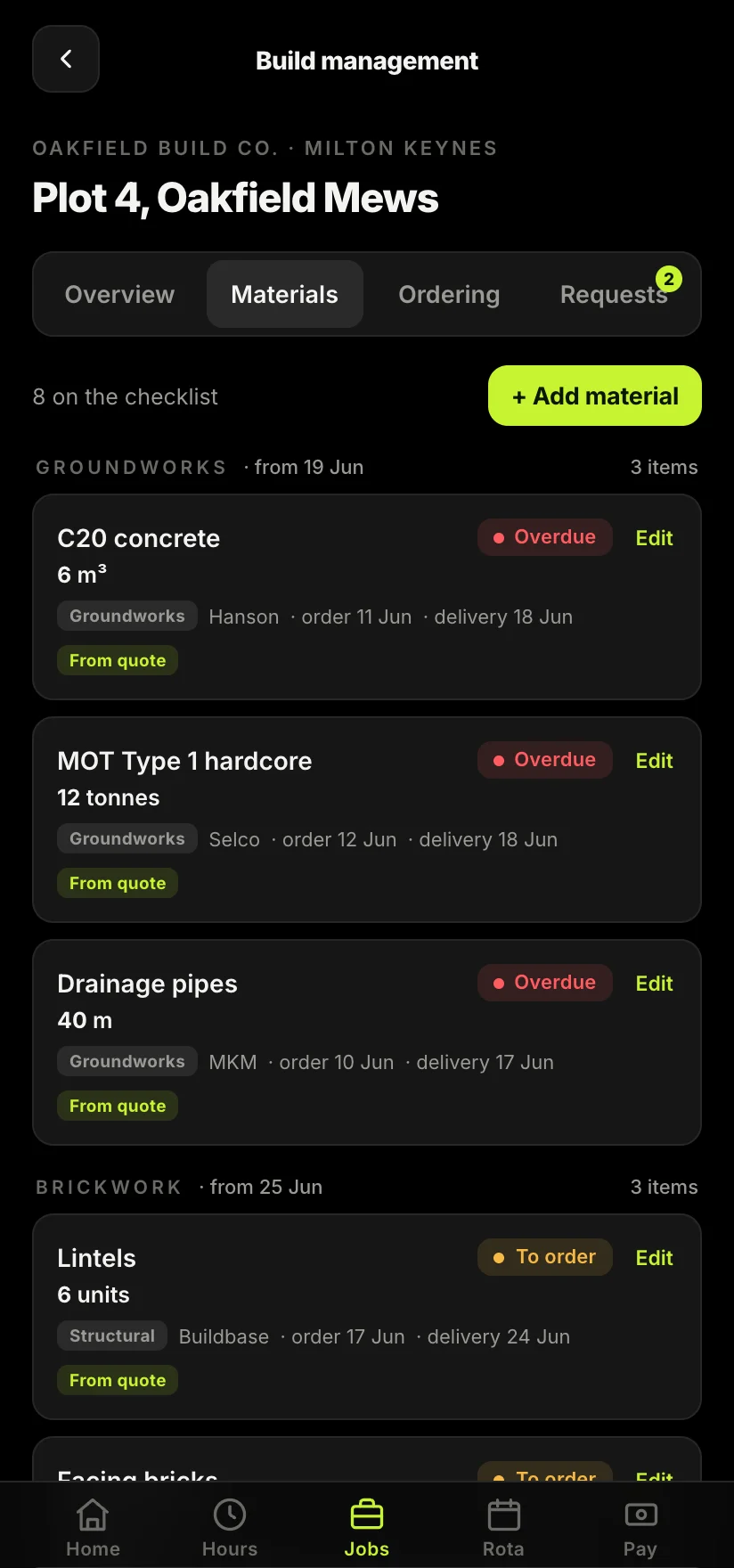
The materials plan for a job already exists: it is in the quote you priced. The trick is to turn that quote into a working checklist rather than leaving it as a PDF nobody opens again. Break it down by phase, with what to order, how much, and by when. Now you have a plan you can order against and measure reality against, instead of guessing week to week.

Track orders and deliveries
Once you are ordering from a plan, the next win is knowing where each order actually is. For every line, it helps to know the supplier, the order-by date and the expected delivery, and whether it has landed. When something is running late, you want to see it early enough to chase, not on the morning the trade needs it. A simple status on each item, to order, ordered, delivered, overdue, is enough to stop most of the expensive surprises.
Most material overspend is really a timing problem wearing a cost problem's clothes.
Handle requests from site properly
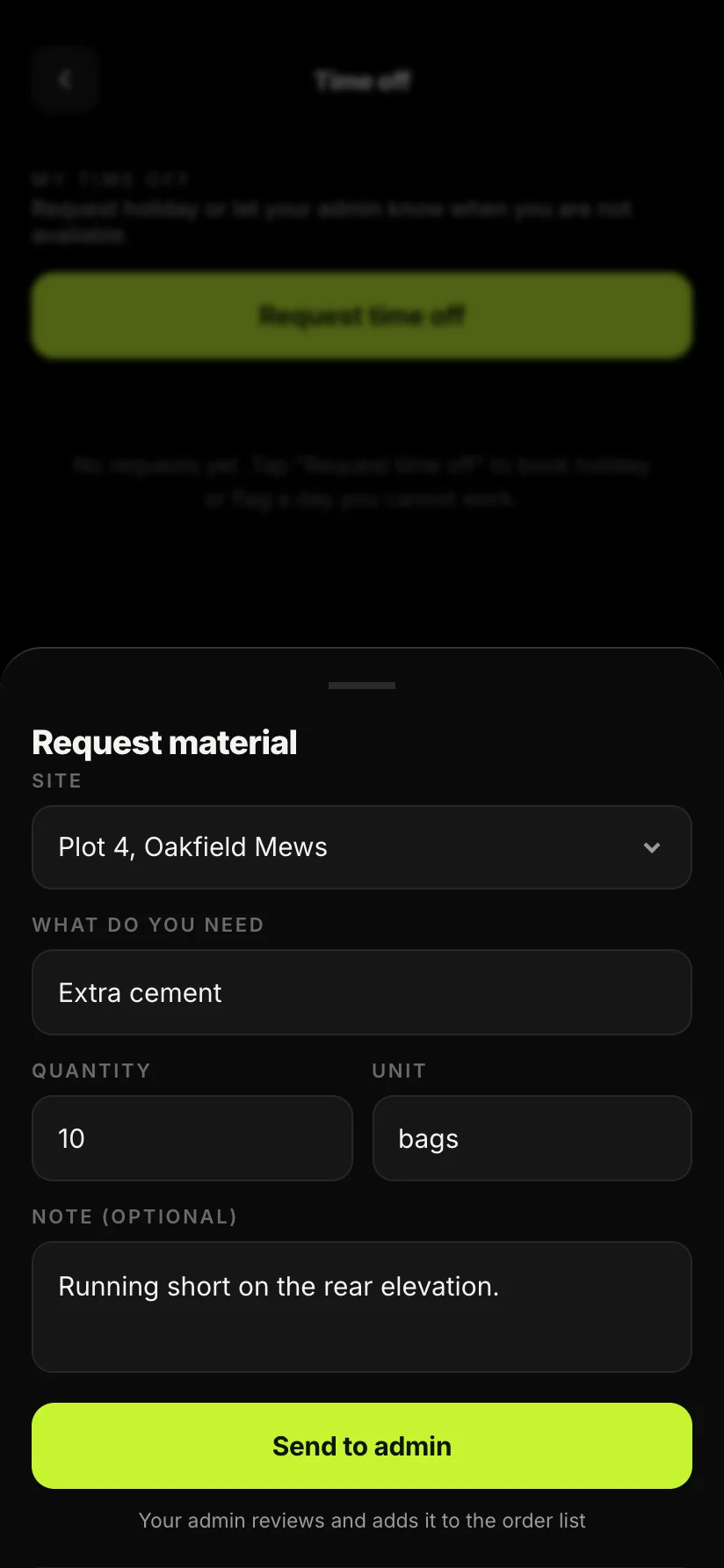
Half the chaos comes from how requests are made. A worker needs ten bags of cement, so they text the office, and the message competes with fifty others. Sometimes it gets ordered, sometimes twice, sometimes not at all.
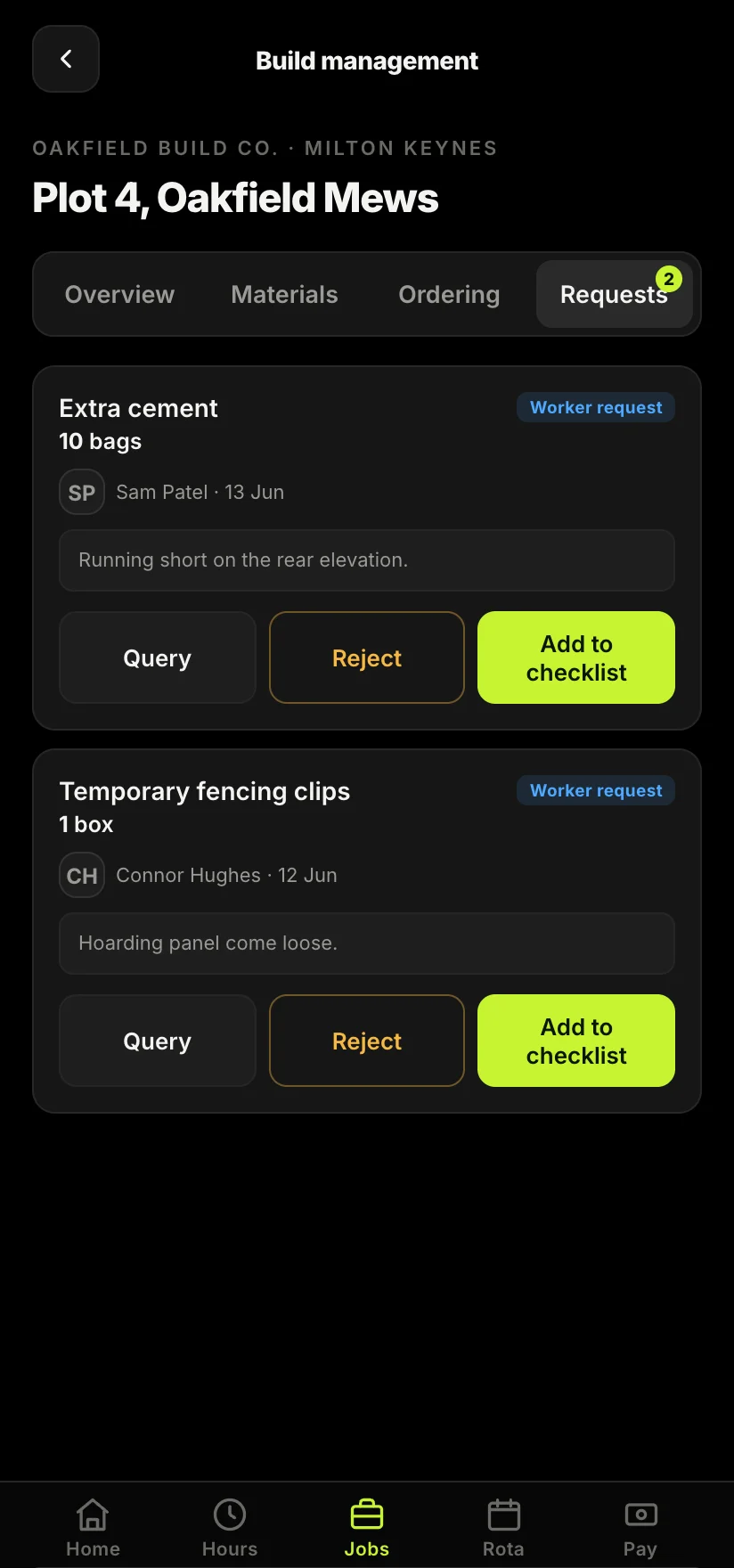
A better flow is for the worker to request materials against the specific job, with the quantity and a note, so the office can approve, query or add it to the order list in one place. Now nothing is lost, there is a record of who asked for what, and the request is tied to the job it belongs to rather than floating in a chat.
Watch cost against budget while the job is live
The single most valuable thing you can do with materials is see the spend build up against the budget while the job is still running. If you only find out you have overspent when the job is finished and the invoices are in, it is too late to do anything about it. If you can see it creeping in week three, you can act: change the sequence, question an order, or at least know your real margin before you price the next one.
This is the same thinking that runs through good site admin generally, and it pairs naturally with keeping your labour hours against the job too. Labour and materials are the two big costs on most jobs; seeing both against the budget, live, is how you protect the margin you priced.
Bring it into one place
None of this needs a procurement department. It needs the quote, the orders, the requests from site and the running spend to live in the same place, attached to the job, instead of scattered across a PDF, a merchant account and a group chat. Sitewise is built to be that place: the quote becomes a live materials list, the crew request against the job, and the spend tracks against your budget as you go. Do that and material overspend stops being a mystery you discover at the end and becomes something you manage as you go.
Take the admin off your hands.
Track orders, requests from site and spend against the budget as the job runs, so overspend is something you catch in week three, not discover once the invoices land.
Join the Sitewise waitlistFree to join. Be first in when early access opens.
Frequently asked questions