

A CIS invoice is just a normal invoice with the Construction Industry Scheme deduction shown clearly. Get the layout right and the contractor can pay you quickly and deduct the correct amount. Get it wrong and you either lose money on materials or hold up your own payment. Here is how to send a CIS invoice properly, with the 20% worked out.
If you are still getting to grips with the scheme itself, start with our guide to how CIS works for subcontractors, then come back here for the invoicing side.
What a CIS invoice needs to include
On top of the usual invoice basics, a CIS invoice has to make the deduction obvious. Include:
- your name or business name, address and contact details;
- your Unique Taxpayer Reference (UTR), and company registration number if you trade through a limited company;
- the contractor's name and the site or job reference;
- the invoice date and a unique invoice number;
- a clear split between labour and materials;
- the CIS deduction shown as its own line;
- the net total the contractor will actually pay you.
Split labour and materials, always
This is the part that protects your money. CIS is only deducted from labour, never from materials. So if your job includes materials you have bought, list them separately and keep them out of the deduction. Roll everything into one figure and the contractor may take 20% off the lot, which means you have loaned HMRC 20% of your material costs until you reclaim it. Our free CIS deduction calculator shows the difference instantly.
A worked example
Say you are a registered subcontractor on the 20% rate. Your invoice for a week looks like this:
- Labour: £1,200
- Materials: £300
The CIS deduction is 20% of the labour only, so 20% of £1,200, which is £240. Materials are untouched. So the invoice reads:
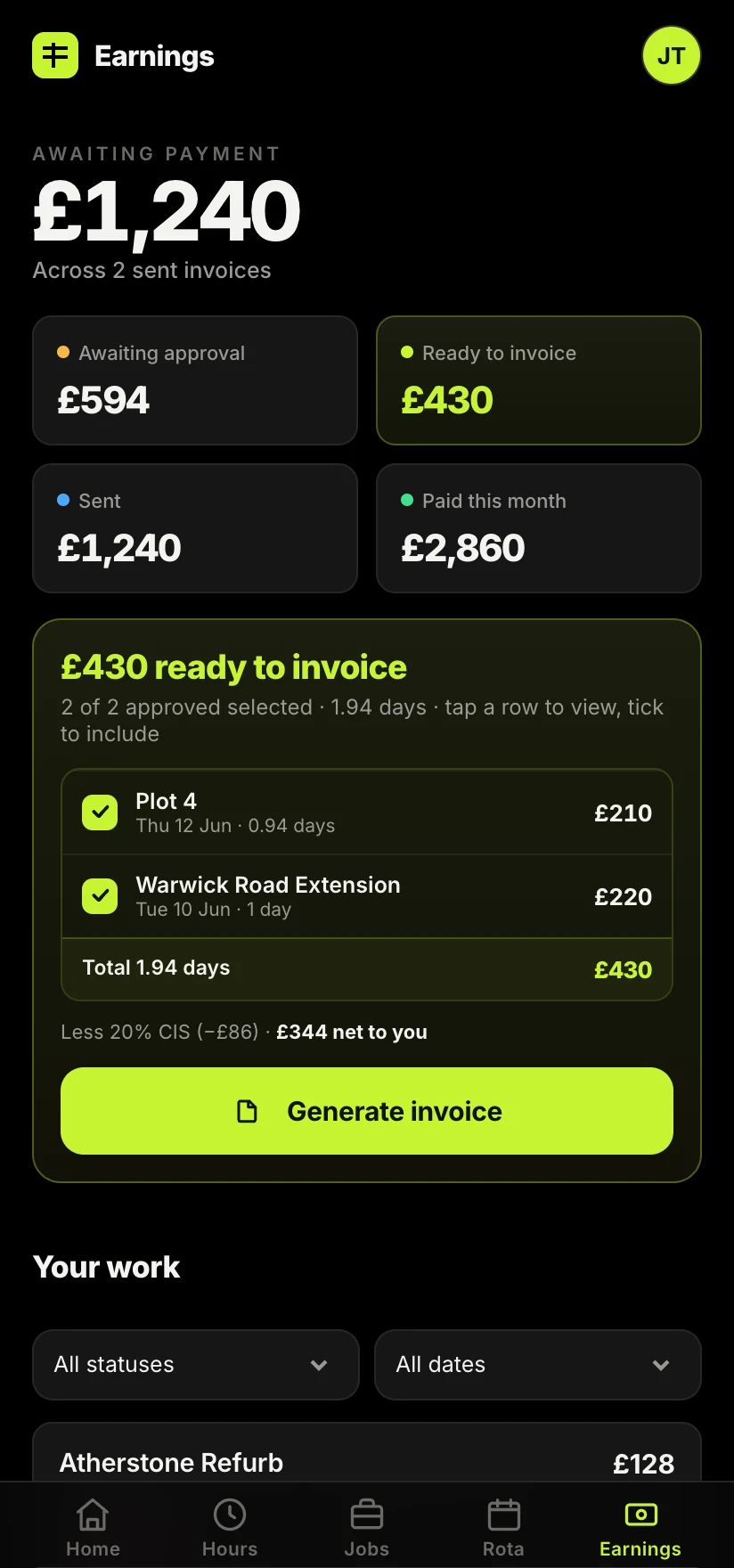
Labour £1,200 + Materials £300 = £1,500 gross. Less CIS at 20% on labour (£240). Net payable: £1,260.
The contractor pays you £1,260 and sends the £240 to HMRC as an advance payment towards your tax. You get that £240 credited when you file your return. If you had failed to split out the £300 of materials, the deduction would have been £300 instead of £240, and you would be £60 down until you reclaimed it.
What about VAT and the reverse charge?
If you are VAT registered and working for another VAT-registered business in the construction chain, the VAT domestic reverse charge usually applies. In short, you do not add VAT to the invoice; instead you state that the reverse charge applies and the customer accounts for the VAT. Your invoice should say something like "Reverse charge: customer to account for the VAT to HMRC." CIS still comes off the labour as normal. If you are not VAT registered, you can ignore this part.
Self-bill invoices
On some sites the contractor raises the invoice for you, which is called self-billing. They calculate your labour, materials and CIS deduction, and issue you a statement. That is fine and common, but you should still check every figure, keep the statement, and make sure the labour and materials split matches what you actually did. A self-bill you never checked is how quiet errors build up over a year.
Keep a copy of everything
Every CIS invoice and every payment and deduction statement is a record of tax already paid on your behalf. Keep them all, ideally against the job they relate to, so that at year end your accountant can add up the deductions in minutes rather than hunting through a shoebox. The trades who dread their tax return are almost always the ones whose invoices live in three different places.
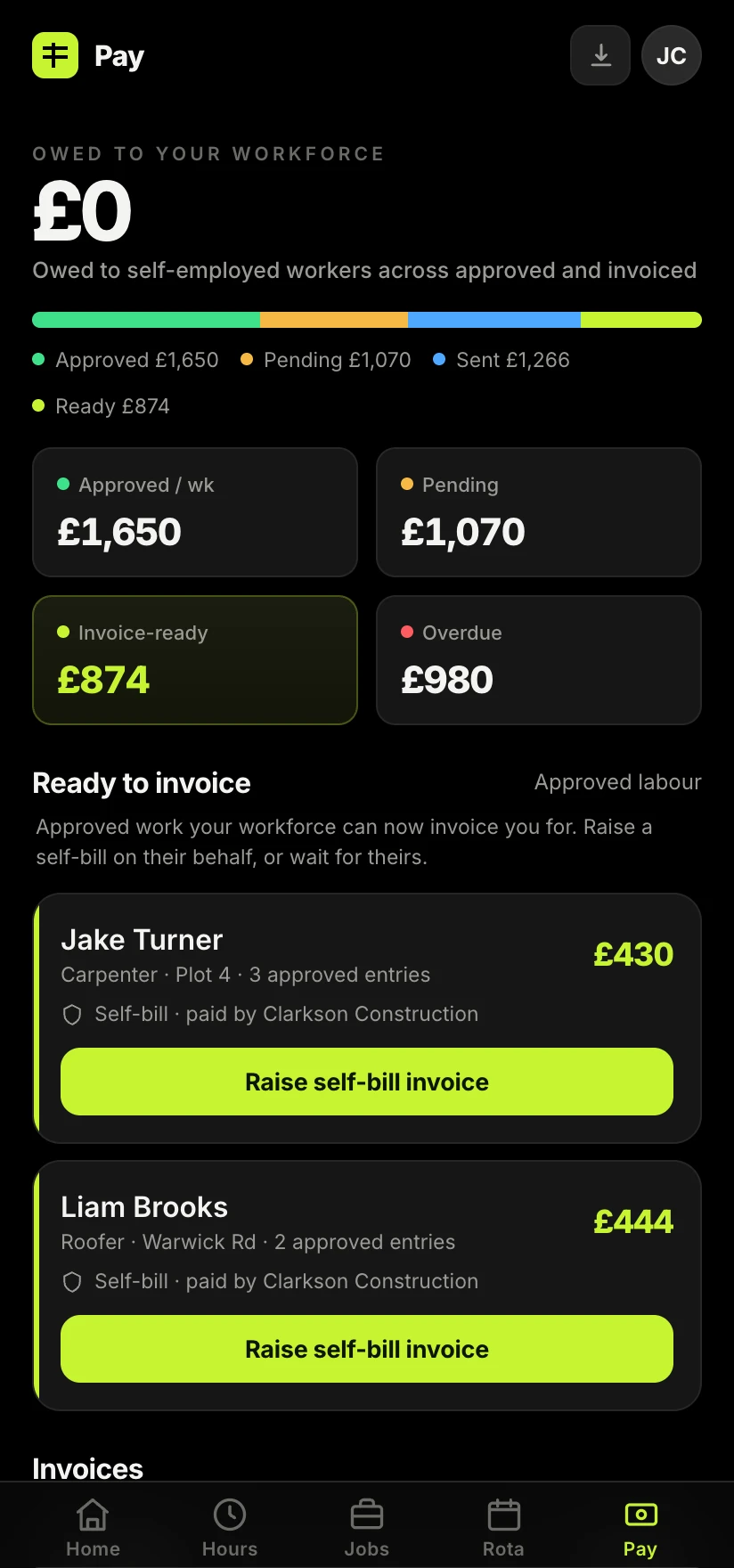
The cleanest way to stay on top of it is to raise the invoice from the same place you logged the work, so the hours, the materials and the CIS figure all agree and nothing gets retyped. In Sitewise that is a single flow: the hours you approved become the invoice, with labour, materials and the 20% CIS already split out, so a compliant invoice is a tap rather than an evening job. If you want to see how far you fall behind on this, our piece on the real cost of construction admin puts a number on it.
Take the admin off your hands.
Raise a CIS invoice straight from the work you logged, with labour, materials and the 20% deduction split out for you. The numbers agree because you only entered them once.
Join the Sitewise waitlistFree to join. Be first in when early access opens.
Frequently asked questions